

Getting found online starts with a strong Google Business Profile. If you want to generate organic visits for Google Business Profile, your basic info needs to be complete, accurate, and fully optimized. Without it, you risk losing potential customers to competitors who show up higher in local search rankings.
These steps aren’t optional—they directly affect how often your business appears in local results and how likely people are to click. From verifying your listing to choosing the right categories, each item below helps improve visibility and build trust with both search engines and real customers.
1. Complete and Optimize Your Business Information
1. Claim and Verify Your Google Business Profile
This is the first thing you should do. Verifying your profile tells Google that you’re the real owner. Until you do, you won’t be able to manage your listing, respond to reviews, or show up in key places like Google Maps.
2. Keep NAP Info Consistent Everywhere
NAP stands for Name, Address, and Phone Number. These details need to match exactly across your website, directories, and social media. Even small differences can confuse Google and hurt your ranking.
3. Fill Out All Key Profile Fields
Complete every section—name, address, hours, categories, services, and business description. A full profile gets better visibility and makes it easier for customers to understand what you offer.
4. Pick the Right Categories
Your main category should clearly describe what your business does. You can add one or two secondary categories if needed. Avoid adding too many or being too broad.
5. Add Products and Services
List out what you sell or provide. Include names, prices, and short descriptions. This helps your profile show up when people search for specific services or products.
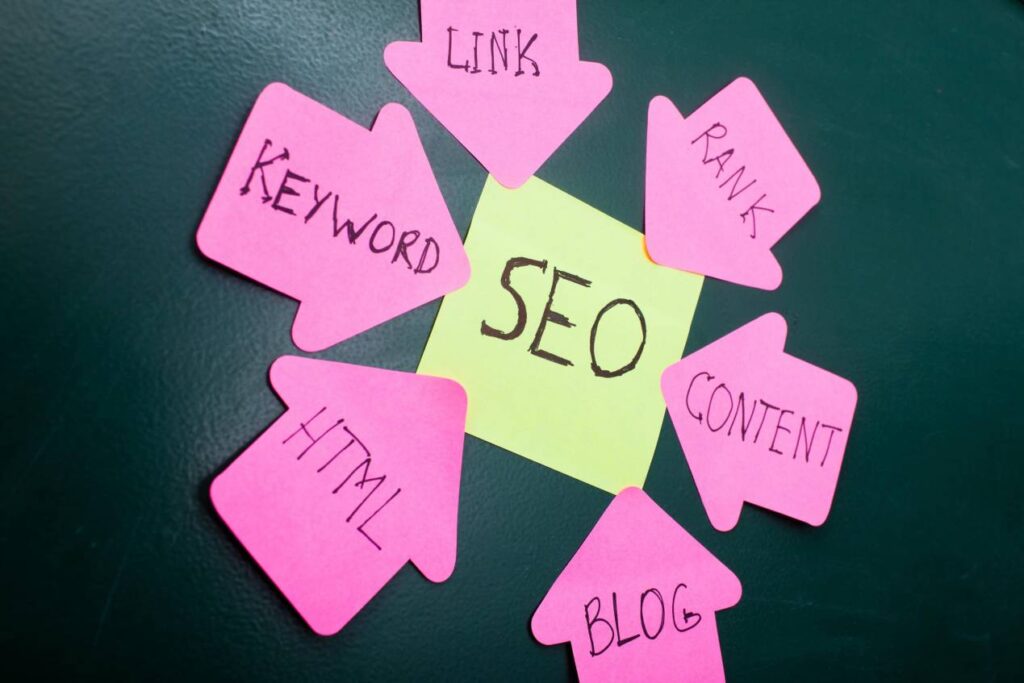
2. Leverage SEO with Keywords and Content Strategy
1. Incorporate Relevant, Natural Keywords in Your Business Description and Posts
Use relevant keywords that your customers are likely to search for. These should reflect your main services, products, or location. Avoid keyword stuffing or using phrases that feel forced.
Include important keywords in your business description, service list, and Google Posts. Stick to natural phrasing that sounds like normal speech. This makes it easier for Google to match your profile to real searches.
Check search suggestions on Google to find common phrases. Tools like Google Keyword Planner or Ubersuggest can also help you find terms that people are actually searching for.
2. Maintain a Blog or Local Content Related to Your Business and Community
Google likes fresh, helpful content. Adding a blog to your website helps show you’re active and involved. It also gives you space to use local keywords that may not fit in your profile.
Write about topics that matter to your customers. These could include local events, seasonal advice, or how-to tips related to your industry. Use blog posts to answer common questions or showcase your expertise.
Link to your Google Business Profile from your blog. Mention your location and service area naturally in the text. Over time, this builds local authority and helps generate organic visits for Google Business Profile.
3. Target “People Also Ask” Sections and FAQs on Google to Capture Search Intent
Look at the “People also ask” section when you search for your business type. These questions reflect real user intent. Answer them on your site, Google Posts, or in your FAQ section.
Use clear, direct answers. Keep it simple and useful. If people search for “How late is [your business] open?” or “Do they offer gluten-free?”, answer that in your content.
This type of content increases your chances of showing up in featured snippets. It also helps users find exactly what they need, which can drive more clicks to your listing.
4. Optimize Your Website to Link and Embed Google Maps to Boost Local SEO
Add a Google Map with your business location directly to your contact page. This helps connect your website with your Google Business Profile and strengthens your local presence.
Make sure your address on the website matches exactly what’s on your profile. Link your business name to your GBP URL for extra SEO value.
Embedding Google Maps also improves user experience. People can get directions or check your reviews right from your site. All of this helps generate organic visits for Google Business Profile and builds stronger local signals.

Ready to start using proven strategies to generate organic visits for Google Business Profile?
Contact Growth Hackers
3. Use High-Quality Visual Content to Engage Visitors
1. Add Professional Photos and Videos Showcasing Your Products, Services, and Premises
Photos and videos draw people in fast. They give customers a clear idea of what to expect. High-quality images help you look more trustworthy and active.
Add different types of photos—your storefront, team, workspace, and products. For service businesses, show before-and-after shots or photos of work in progress. This builds confidence and shows your real capabilities.
Videos work well too. A short walkthrough, an intro from the owner, or even a time-lapse can boost engagement. Keep it simple, but make sure it’s clear and steady.
Google rewards active profiles. The more useful media you add, the more likely you’ll rank higher in local searches.
2. Use 360-Degree Virtual Tours to Give Immersive Experiences of Your Business Location
360-degree tours let users explore your business like they’re there in person. They work well for restaurants, gyms, salons, retail stores, and event venues.
You can hire a Google-certified photographer to shoot the tour. Once uploaded, it becomes part of your business profile and shows up in Google Maps. This gives you a strong edge over businesses without one.
People often spend more time on profiles with virtual tours. The longer they stay, the more likely they are to visit or contact you. This helps drive more organic visits to your Google Business Profile.
3. Regularly Update Visual Content to Keep Your Profile Fresh and Engaging
Don’t just upload once and forget it. Update your photos and videos often. New content tells Google that your business is active and up-to-date.
Add seasonal photos during holidays or events. Show changes in your space, new menu items, or updated product lines. This makes your business look alive and interesting.
Use only high-quality photos. If customers add low-quality images, upload better ones to push them down. Keep your visual content clean and relevant.
4. Use Image File Names and Alt Text Wisely (On Your Website)
When uploading photos to your site, name the files with keywords that match your services and location. For example, instead of “IMG1234.jpg,” name it “sydney-hair-salon-haircut.jpg.”
Use alt text that describes the photo clearly. This helps with SEO and also makes your site more accessible. While this doesn’t apply directly to GBP, it helps connect your site with your profile.
Well-optimized images on your website support your local search efforts and can drive more people to your GBP listing.
5. Encourage Customers to Upload Their Own Photos
Ask happy customers to add their photos to your GBP. These images build trust because they come from real people.
Photos from customers show how others experience your business. They’re especially useful for restaurants, service businesses, and shops.
You can encourage this by including a reminder in a follow-up email, on receipts, or through signs at your location.

4. Get and Manage Customer Reviews Effectively
1. Ask Happy Customers for Reviews
The best time to ask for a review is right after a good experience. This could be after a successful sale, service visit, or support call.
You can ask in person, by email, or even through a follow-up text message. Keep it simple and polite. A short message with a direct link to your Google Business Profile works best.
You don’t need to offer discounts or freebies. Just ask honestly. Most people are happy to help if you make their day easier.
2. Make It Easy to Leave a Review
Use your custom short link (like g.page/yourbusinessname/review) to guide people directly to your review page. Add this link to your email signature, receipts, thank-you pages, or social media.
Make sure customers don’t have to search for your business or figure out where to write the review. Remove the friction, and you’ll get more responses.
You can also generate a QR code with the review link and place it on your counter, flyer, or business card.
3. Reply to Every Review
Responding to reviews shows you care. Always thank customers who leave good feedback, and keep your message warm and real.
If someone leaves a bad review, don’t ignore it. Stay calm, take responsibility if needed, and offer to fix the issue. Don’t argue or sound defensive. Your reply is not just for the reviewer—it’s also for anyone reading later.
Replying regularly builds trust and may even boost your profile in local search rankings.
4. Use Reviews to Learn and Improve
Reviews are more than ratings. They’re full of useful feedback. Look for patterns in what people like or complain about.
If many people mention your fast service, highlight that in your posts or ads. If several reviews mention a slow checkout, fix it fast.
Treat reviews as a free way to understand your customers better and to improve your business without guessing.
5. Use Posts and Updates to Stay Active on Google
1. Share Timely Updates and News
Use Google Posts to share what’s new. This can include sales, product launches, service changes, or local events.
Keep your message short but clear. Add a photo and a link if needed. Posts appear in your GBP and help it look active and up-to-date.
You can use the “What’s New,” “Offer,” or “Event” post types depending on what you’re sharing.
2. Post Regularly to Stay Visible
New posts show up in your profile and give people a reason to come back. Posting once a week is a good start.
You don’t need long updates. A quick line about a new product or a reminder about your business hours works fine. Fresh posts show Google and your customers that you’re active.
If your posts are frequent and relevant, they may show up in local search results more often.
3. Enable and Manage the Q&A Section
The Q&A section lets anyone ask questions about your business. Don’t leave it blank. Add common questions and answers yourself to guide future customers.
Check often to see if new questions come in. Answer clearly and helpfully. Don’t let others answer for you unless you trust the info.
You can also upvote your answers so they appear at the top.
4. Add Booking or Appointment Tools
If you offer appointments or services, link your calendar directly to your GBP. This allows people to book without leaving Google.
Many scheduling tools work with Google, like Calendly, Square, or Setmore. Adding booking buttons removes extra steps for customers and increases the chance they’ll take action.
This works well for salons, clinics, consultations, or any business that books time slots.

6. Expand Reach Through Strategic Outreach
1. Add Your GBP Link to Emails and Social Media
Your Google Business Profile link should be easy to find. Add it to your email signature, newsletters, and all your social media profiles.
This helps drive organic traffic to your GBP and encourages more reviews. It’s a simple step that puts your listing in front of more people every day.
Use the custom short link you created earlier (like g.page/yourbusiness) so it’s easy to remember and clean.
2. Ask Customers to Leave Reviews at the Right Time
A good review builds trust and helps you rank better in search results. Ask for reviews right after a job is done or when a customer is happy.
You can send a follow-up message, include a link on receipts, or have a small sign at checkout. Don’t ask too early or too late… timing matters.
Positive reviews also make your listing stand out from the others nearby.
3. List Your Business in Trusted Local Directories
Sign up for well-known directories like Yelp, Yellow Pages, Apple Maps, and Bing Places. Make sure the name, address, and phone number match your GBP exactly.
These listings create strong signals for Google and improve your local presence. They also give potential customers more ways to find you.
Stick with popular, trusted platforms. Don’t waste time on spammy directories or low-quality listings.
4. Work With Local Businesses or Creators
Collaborate with nearby businesses, influencers, or community groups that your customers already trust. This could be through events, shared promotions, or shout-outs.
Tag each other in social media posts and include links to your GBP. Their audience becomes your audience.
These connections can quickly boost your visibility and bring in more people who are already nearby or interested.
7. Stay Consistent and Monitor Progress
1. Keep All Information Up to Date
Old info can turn people away fast. Make sure your hours, address, phone number, and services are always current.
If you’re closing for holidays or updating your services, add special hours or edit your listing right away. Google gives more visibility to active, up-to-date profiles.
You can schedule these changes in advance, so there’s no gap in accuracy.
2. Track What Works Using Google Insights
Google provides built-in data tools for your Business Profile. You can see how many people viewed your profile, clicked for directions, visited your website, or called.
Check this weekly or monthly to spot trends. If profile views drop, it might be time to post more, add new photos, or fix missing info.
Don’t guess… let the numbers guide your next steps.
3. Respond to Reviews and Questions Regularly
Replying to reviews and answering Q&A signals that you’re active and care about customers. It helps build trust and shows you’re reliable.
Even a short reply makes a difference. Thank happy customers and respond calmly to negative ones.
Set a reminder to check reviews at least twice a week so nothing slips through.
4. Refresh Your Profile Often to Keep Engagement High
Add a new post, photo, or update every week or two. It keeps your profile active, which helps with visibility on both Google Search and Maps.
Think of it like social media: fresh content keeps people engaged. You don’t need big changes. Small updates work too.
The more active your profile looks, the more likely Google is to show it to potential customers.
Let’s help you generate organic visits for Google Business Profile—faster.
Work with Growth Hackers

BONUS TIP: Use AI Tools for Personalized Customer Engagement
1. Add an AI Chatbot That Connects to Your GBP
Smart chatbots can answer questions in real-time using info pulled directly from your Google Business Profile. They can handle hours, services, directions, and more—without making the customer wait.
Some tools let you connect your website chatbot with your GBP, so the same info is used across platforms. This helps keep answers consistent and speeds up replies.
It saves time for your team and keeps customers happy by giving them instant help.
2. Use AI to Read and Sort Reviews
AI tools can scan your reviews and pick out common words, customer moods, and repeated issues. They group feedback into useful insights so you don’t have to read every single post.
This helps you spot problems early and understand what people like most. You can also use the insights to improve services or adjust your messaging.
It’s a smarter way to listen to your audience without wasting hours.
3. Personalize Offers Based on Visitor Behavior
Some AI systems track what customers do when they click your GBP like what posts they view, what links they click, or how often they visit.
You can use this data to offer discounts, suggest products, or follow up with a message. The goal is to match the offer to the person.
Even small businesses can do this now with affordable tools that connect with booking systems, CRMs, or email software.
4. Automate Appointment Scheduling Through Google
Sync your Google Calendar with a booking tool that links to your Business Profile. Customers can book a time straight from Google Search or Maps, without visiting your website.
AI can fill out forms, suggest times, and even send reminders… all without your help.
This removes barriers and makes booking as fast as possible, which leads to more completed appointments.
Final Thoughts: How to Generate Organic Visits for Google Business Profile
Improving your visibility on Google starts with the right setup. If you want to generate organic visits for Google Business Profile, the key is to provide complete, accurate info and keep it consistent across the web.
With just a few core updates (verifying your listing, using the right categories, and adding detailed services) you make it easier for both customers and search engines to find and trust your business.
Ready to get serious about showing up first in search?
Growth Hackers is a trusted small business SEO company that helps businesses like yours boost visibility and get more clicks on Google. We use proven tactics to optimize Google Business Profiles that not only rank well but also convert views into customers. Whether you’re starting fresh or want better results, we can help you dominate local results.
As an award-winning growth partner, Growth Hackers doesn’t stop at advice—we build and execute full SEO strategies that drive real results. If you’re tired of guessing and want a smarter way to grow, contact Growth Hackers today and let’s take your profile to the next level.




1 Comment
That post on 8 Strategies to Generate Organic Visits for Google Business Profile (GBP) offers such crystal‑clear and practical advice – especially on completing your profile, engaging with reviews, and using rich visuals. It’s concise yet actionable, a great read for anyone aiming to boost local search presence!